
Introduction
For 20 years, we were taught a lie: "A strong password looks like garbage."
We were told to take a word like "Password" and turn it into P@ssw0rd1!. We thought we were being clever. In reality, we were just being annoying to ourselves and predictable to computers.
Enter the Passphrase.
It is the modern solution to the authentication problem. It is a method that respects how the human brain works (we remember stories) while respecting the mathematics of security (length is king).
A password should be hard for computers to guess, but easy for humans to remember. Most people do the exact opposite.
The Problem with "Complex" Passwords
Complex passwords like J8#kL2$p fail for two reasons:
- Hard to type: Have you ever tried typing
&or%on a smartphone keyboard? It is a nightmare of toggling menus. - Hard to remember: Because they are abstract, our brains can't "hook" onto them. So what do we do? We write them down, or we reuse them everywhere.
What is a Passphrase?
A passphrase is a string of random words.
- Bad:
IlovePizza!(Predictable sentence structure). - Bad:
To be or not to be(Famous quote). - Good:
correct horse battery staple(Random, unrelated words).
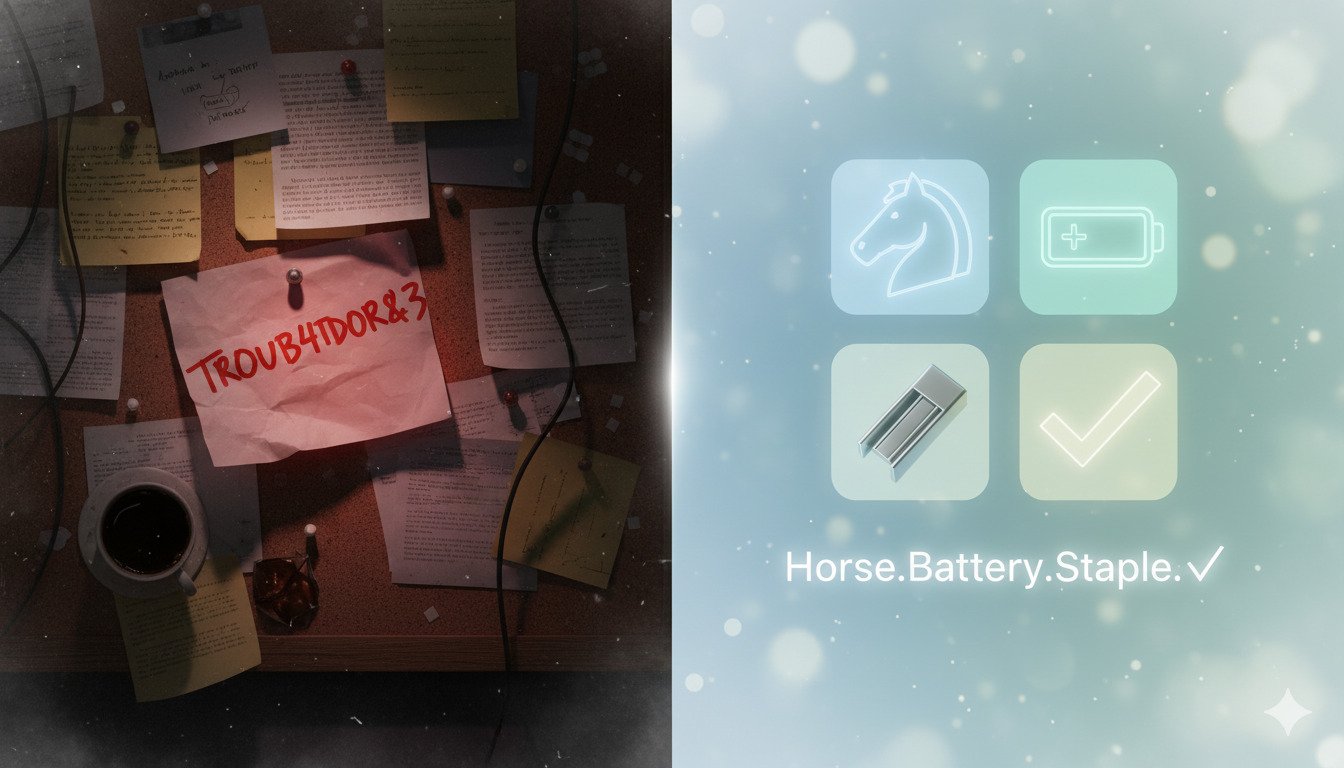
Because the words are random, they cannot be guessed by a dictionary attack. But because they are words, you can visualize them. You can imagine a Horse holding a Battery with a Staple. That mental image sticks in your brain forever.
A 4-word passphrase (approx. 25 characters) has significantly higher entropy (security) than a 10-character complex password. The math isn't even close.
The Diceware Method
How do you generate a truly random passphrase? You use Diceware.
Traditionally, this involved rolling a physical 6-sided die five times to generate a number (like 43152). You would look that number up in a special word list to find your word. You repeat this 4 or 5 times.
Today, password managers do this digital equivalent automatically. They pull from a list of 7,776 curated words to generate a string that is statistically random.
Why Passphrases Win on Mobile
We live on our phones. Typing Tr0ub4dor&3 on an iPhone requires switching between the "ABC", "123", and "#+=" keyboards six times.
Typing correct horse battery staple requires switching keyboards zero times. You just type.
For user experience (UX), passphrases are a massive upgrade. They reduce login frustration and "reset password" requests because users actually remember them.
Quick Tips
- Don't make up words yourself. Your brain isn't random enough. You will subconsciously pick words that relate to each other (e.g., "Coffee", "Cup", "Morning").
- Do use a separator. Spaces are great, but hyphens (
-) work well too if a site doesn't allow spaces. - Do add capitalization if you want, but length is the main security factor.
Correct-Horse-Battery-Stapleis fine.
When NOT to Use a Passphrase
Passphrases are great for Master Passwords (the one password you need to memorize to unlock your password manager) or for your computer login.
However, for random accounts (like a random shopping site), you shouldn't be memorizing anything. Let your password manager generate a 25-character string of garbage (8s7d^&%A*s...) and autofill it.
Use passphrases for the few keys you must keep in your head. Let the robots handle the rest.
Conclusion
It is time to retire the "complex" password. It had a good run, but it failed us.
Switch to passphrases. They are friendlier, stronger, and they stop the endless cycle of "I forgot my password." Next time you update your credentials, roll the dice—literally or digitally—and choose 4 random words.
DynamicPassGen Security Team
Security Research & Education
Our security team stays current with the latest password standards, authentication methods, and cybersecurity best practices to provide accurate, actionable guidance for users and organizations. We analyze emerging threats, study real-world breaches, and translate complex security concepts into practical advice you can implement immediately.